Get started · no coding
Your business website, built by AI from a real design.
Pick a template made for your kind of business, add your details, paste one prompt into the AI tool you already use, and publish. Most people have a first version in under an hour.
Not sure which template or pages you need? Answer a few questions and get one prompt →
Comfortable with code or an AI editor like Claude Code or Cursor? Use the developer route →
01
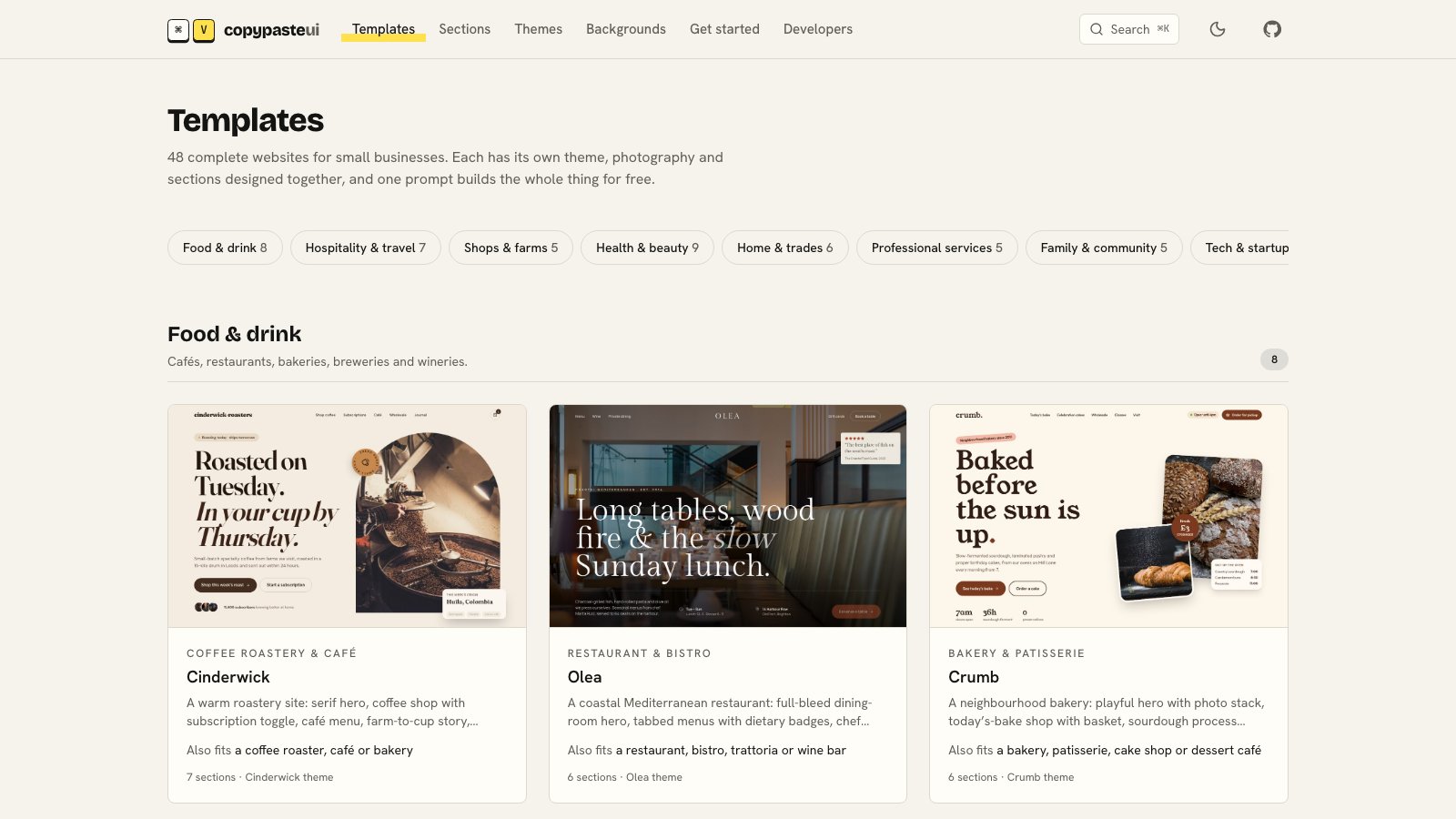
Pick a template for your kind of business
Each one is a complete site with its own colours, fonts and photos, written for one trade. Every word gets rewritten for you in the next steps.
- Food & drink
- Hospitality & travel
- Shops & farms
- Health & beauty
- Home & trades
- Professional services
- Family & community
- Tech & startups
02
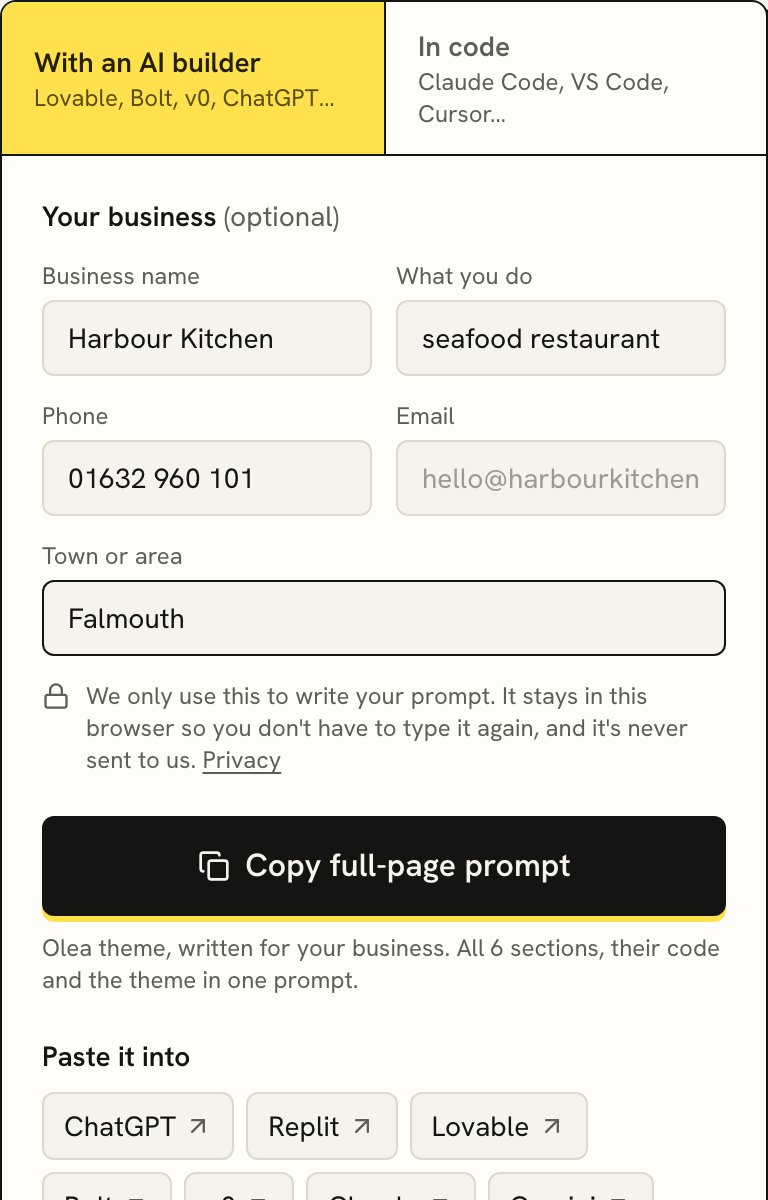
Add your details and copy the prompt
On the template page, fill in your business name, what you do, your town and a phone number or email. They're optional and stay in your browser, but with them the AI writes the whole site about you from the first try.
Pick a different look in the preview if you like, then press Copy full-page prompt. It's long on purpose: it carries the whole design, so the AI rebuilds it properly instead of guessing.
03
Paste it into your AI tool
Builders give you a live site at the end; chat tools are great for trying things out. Ordered by how many people use them:
ChatGPT ↗Chat
Start a new chat, paste the prompt and ask for a single-page site you can preview. Great for trying a template; for a live site, a builder below is easier.
Replit ↗Builder
Create a new app with Replit's agent, paste the prompt as the first message, then deploy it to put it online.
Lovable ↗Builder
Start a new project and paste the prompt as your first message. When it looks right, publish it.
Bolt ↗Builder
Paste the prompt on the start screen. Bolt builds and previews it, then you deploy it.
v0 ↗Builder
Paste the prompt into a new chat. v0 uses the same building blocks as our sections, so the result comes out closest to the preview.
Claude ↗Chat
Paste the prompt into a new chat. Claude shows the page as a preview you can change, then gives you the files.
Gemini ↗Chat
Paste the prompt into a new chat to preview the page and get the code.
04
Refine it in plain words
When the first version is ready, send what the four fields didn't cover:
Thanks. Now a few more details:
- Address: …
- Opening hours: …
- Prices or services to show: …
- Things customers often ask: …
Use them everywhere the sample details appear, and remove anything we don't offer.
Then swap the sample photos for your own: real photos of your place, team and work make the biggest difference. Replace the photos of people in reviews and team sections before you go live: they are stock models, not your customers or staff. Ask for one change at a time (“make the menu two columns”, “use our logo”) and check after each.
05
Check it on your phone
Most of your visitors will be on a phone. Open the preview link on yours: tap every button, check the phone number rings you and the map shows the right place. Read every line once, because AI tools sometimes leave a sample detail behind.
06
Publish and connect your domain
Use your tool's Publish or Deploy button to get a live link. Then, to use your own address:
- Buy the domain (yourbusiness.co.uk or .com) from any registrar; Cloudflare, Namecheap and Porkbun are good value. If you already own one, skip this.
- Add it in your builder's domain settings. It shows you one or two records to add, usually an
Arecord for the bare domain and aCNAMEforwww. - Paste those records into your registrar's DNS page. Leave any existing
MXorTXTrecords alone: they run your email. - Wait. It usually works within an hour, sometimes up to a day. The padlock (HTTPS) is added automatically.
07
Next steps
Get found on Google
Claim your free Google Business Profile and add the website link. It's what shows up on Maps and in local searches. For most small businesses it brings more visits than the website itself.
Google Business Profile ↗Take bookings
Most templates come with a booking section. Ask your AI tool to connect it to the service you use: Cal.com (free), Calendly, OpenTable or ResDiary for restaurants, or Fresha for salons. It puts that service's booking link or embed into the section.
Get messages from the contact form
Forms need somewhere to send messages. Free services like Formspree or Web3Forms give you a form address in two minutes; ask your AI tool to connect the contact section to it.
Add a privacy page
If you take bookings, payments or emails, you need a privacy page. In the UK and EU you also need a cookie banner if anything sets tracking cookies. Our ready-made privacy & terms page and cookie banner match whichever template you picked.
Utility pages →Cover the in-between moments
A friendly 404 page for old links, a thank-you page after forms, a closed-for-holidays banner and a coming-soon page before launch, all in the same look as your site.
Utility pages →Run it yourself
Want to change prices, mark dishes sold out, see bookings and reply to enquiries without asking anyone? The back-office screens add an owner's area behind a sign-in, in the same look as your site. Pick where the data lives (your builder's own backend, Supabase, Firebase or others) and paste that setup prompt too.
Back office screens →See who visits
Cloudflare Web Analytics and Plausible count visitors without cookies, so you don't need a cookie banner for them.
Questions
+What does it cost?
CopyPasteUI is free. Your AI builder may have a free tier and a paid plan for publishing on your own domain (typically £15–25 a month), and a domain costs around £10–15 a year.
+Do I own the website?
Yes. The site you build is yours to keep, change and move, including sites you build for clients. Most builders also let you download the code.
+Do I need a developer?
Not to get a good first version live. You may want one later for things like online payments, a members area or connecting to software you already use.
+Can I change things after it's live?
Yes. Go back to the same chat or project and ask for the change in plain words (“add a summer menu”, “change the phone number”). Then publish again.
Free for any business website, including sites you build for clients.